Buddy.ai: Kids Learning Games
AI Buddy Inc.Education
4.62.22K Reviews
- Version
- 6.33.0
- Installs
- 50.00M
- Age Rating
- Everyone
Screenshots
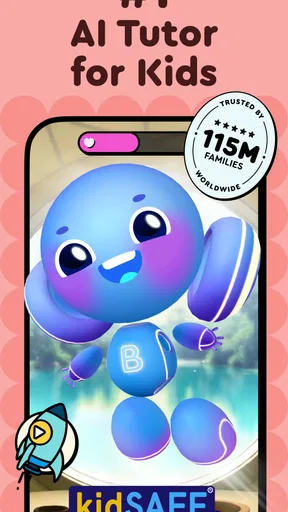
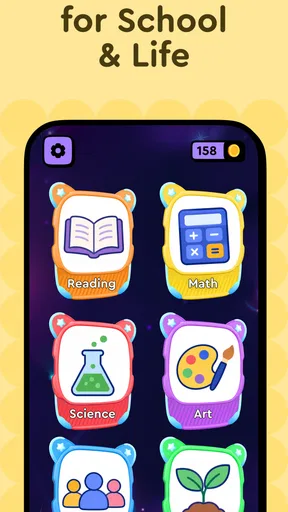
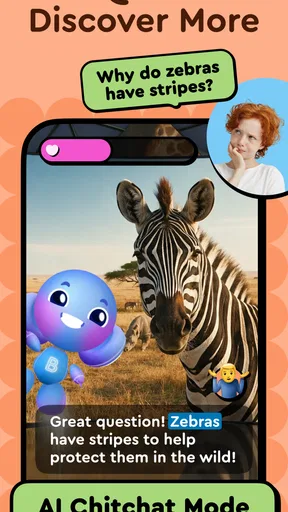
Our Review of Buddy.ai: Kids Learning Games
 Analysis by Appyee
Hey there, fellow parents! So, I recently stumbled upon this little gem called Buddy.ai: Kids Learning Games, and let me tell you, it’s been a game-changer in our household. If you’ve got kiddos who are always curious and eager to learn, you might wanna stick around as I dive into what makes this app a must-have.
Who Gets the Most From a Learning App Like This?
I’d put this app on the shortlist for families with a child who enjoys talking through activities rather than quietly tapping through worksheets. Its focus on spoken practice gives a young learner a reason to answer aloud, while the mix of early-learning subjects can make it a useful change of pace between schoolwork and free play. The age range is broad, though, so a preschooler and a confident early reader may need different levels of adult involvement.
For a child who is shy about speaking, I’d introduce it when there is no audience and no pressure to get every answer right. Let the child explore the interaction first, then treat pronunciation practice as a low-stakes opportunity to try again. A child who strongly prefers drawing, building, or hands-on activities may not want this kind of screen-based lesson as often, and that is a good reason to keep it as one option rather than the whole learning routine.
What’s the Deal with Buddy.ai?
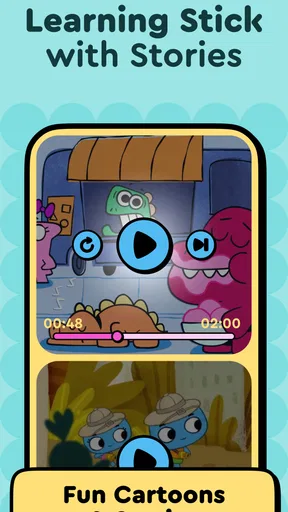
First off, let’s talk about what Buddy.ai is all about. It’s an interactive educational app designed to make learning fun and engaging for kids. The app covers a wide range of subjects like math, science, and language arts, all wrapped up in colorful and interactive games. It’s like having a mini classroom in your pocket, but way more fun!
Starting With a Small, Clear Goal
In practice, I’d begin with one short, specific aim: naming letters, rehearsing a few words, or giving a child a chance to answer simple prompts aloud. That makes it easier to tell whether the format suits them without turning the first session into a test. It also gives you a natural stopping point; young children often do better when a learning activity ends while they are still interested than when it stretches until they are restless.
Buddy.ai is an education app from AI Buddy Inc. Its audience is children from preschool through the early school years, and the age guidance is Everyone. It is free to install, with in-app purchases listed from $6.99 to $119.99 per item, so I’d check the purchase options with an adult before letting a child browse independently. That small setup step can prevent an enthusiastic tap from becoming an unexpected buying decision.
Interactive Learning Experience
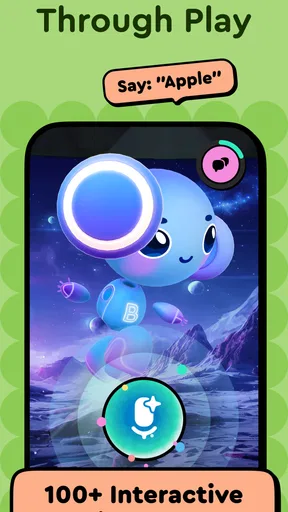
What I really love about this app is how it turns learning into a playful experience. With Buddy, the friendly AI character, kids can interact and solve puzzles, answer questions, and even practice speaking skills. The voice recognition feature is pretty neat, allowing kids to practice their pronunciation and get immediate feedback. It’s like having a tutor who’s available 24/7.
The spoken interaction is also where I’d set realistic expectations. It can encourage a child to participate, but it should not replace a parent, teacher, or speech-language professional when a child needs careful individual guidance. If the app misunderstands an answer or a child mumbles, I’d calmly repeat the prompt or move on rather than making the recognition result feel like a judgment. The learning value is in trying and communicating, not in treating every response as a formal assessment.
Designed for Curious Minds
The app is cleverly designed to cater to different age groups and learning levels. Whether your child is just starting out with basic ABCs or diving into more complex topics, Buddy.ai adjusts the difficulty to match your child’s pace. Plus, the bright colors and fun animations keep the little ones engaged, which is a win in my book.
That flexibility matters most when a child’s skills are uneven. A child might recognize many letters but still need help speaking clearly, or be comfortable with numbers while finding new vocabulary harder. I’d watch which prompts make them eager to continue and which ones bring repeated frustration, then use that as a cue to choose a shorter session or sit alongside them. Personalization can make practice feel better matched, but it does not mean every activity will fit every child equally well.
Parental Controls and Insights
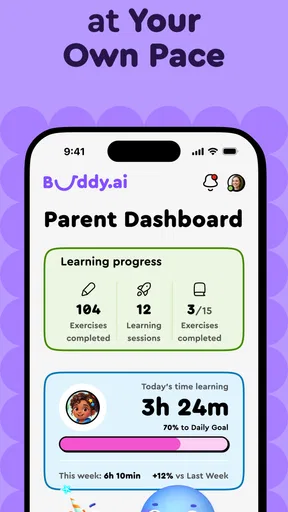
As a parent, one of my concerns with any app is how much control I have over what my kids are exposed to. Buddy.ai doesn’t disappoint. The app offers parental controls that allow you to monitor your child’s progress and adjust their learning goals. You can even set time limits to ensure they’re not glued to the screen all day. It’s a great way to keep tabs on their learning journey without hovering over their shoulders.
A useful handoff is to let the child do the activity while the adult stays available for the moments when help is needed, then check progress together afterward. That keeps the child in charge of answering instead of turning the session into a parent-led quiz. I’d also agree on a stopping point before opening the app. A limit works best when it is part of a predictable routine, not a surprise interruption once a child has become absorbed in a game.
Content Variety
Another thing I appreciate is the variety of content the app offers. From math games that teach counting and addition to language games that expand vocabulary, there’s something for every learner. The app regularly updates its content, so there’s always something new and exciting for the kids to explore. It keeps things fresh and prevents them from getting bored too quickly.
The variety is handy for a real morning routine. If breakfast is finished early and there are a few minutes before everyone needs to leave, I’d choose one small activity rather than hand over the phone with no plan. Later, I could ask the child to name a letter or word they remember, or count objects during an ordinary task. That simple handoff from screen practice to something in the room helps reveal whether the idea has stuck, without needing to turn family time into another lesson.
Compared with a printed workbook, this is more conversational and can feel less like sitting down to complete a page. Compared with open-ended videos, it gives a child a reason to respond rather than just watch. A workbook may be the better fit when you want quiet pencil practice, while a video can work when a child needs a visual explanation. I see Buddy.ai as a useful middle ground for guided, interactive practice, not a replacement for either approach.
Engagement and Rewards
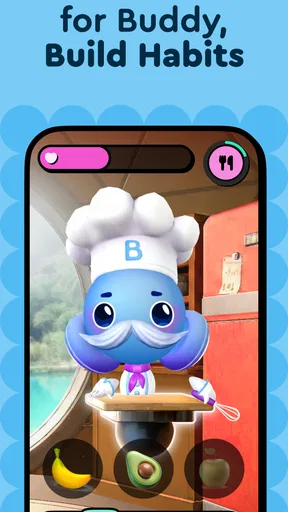
Kids love rewards, and Buddy.ai uses this to its advantage. The app features a reward system where kids earn stars and badges for completing tasks and achieving goals. It’s a great way to motivate them to keep learning and challenge themselves. Trust me, the excitement on their faces when they earn a new badge is priceless!
Rewards can help a child get started, but I would keep the conversation focused on what they tried or learned rather than how many badges they collected. If a child begins rushing through prompts just to earn the next reward, slow the session down and ask them to explain an answer in their own words. That turns a quick tap-through into a chance to think, and it gives the adult a better sense of whether the activity is useful.
Making It Fit the Family Routine
One practical question is whether this can work without an adult sitting beside the child every second. The app is designed for independent interaction, but younger children may still need help getting started, understanding a prompt, or handling a moment when speech recognition does not respond as expected. I’d begin together, see how the child manages, and then give them more independence only if the routine stays calm and safe.
Another question is whether the app can stand in for school instruction. I wouldn’t use it that way. Its best role is supplemental practice: a short, child-friendly way to revisit early concepts at home. If a child needs structured teaching for a specific school goal, their teacher’s materials are a better guide; if they need richer physical exploration, blocks, books, and everyday objects offer something a screen cannot.
Families should also think about device fit. Buddy.ai is available for Android and iOS, and its current version is 6.24.0, with a minimum operating-system requirement of 8.0. Its average rating is 4.7 from around 625,000 ratings, and it has been installed over 50 million times. Those figures suggest broad interest, but they cannot tell you whether your own child will enjoy speaking to an animated tutor, so a brief supervised try is still the sensible test.
Why It’s Worth a Try
In a world where screen time is often seen as a negative, Buddy.ai: Kids Learning Games flips the script by turning it into an educational opportunity. It’s an app that’s easy to navigate, packed with educational content, and designed to grow with your child. The interactive elements and personalized feedback make learning a dynamic experience that kids actually look forward to.
There are trade-offs to keep in mind. Spoken activities are less convenient in a noisy room or when a child needs to stay quiet, and voice-based interaction can be frustrating if the app does not catch an answer. A child who wants a fully offline, tactile activity may be happier with books or physical games. I’d also keep an adult involved in purchase decisions and in choosing a reasonable screen-time routine, even when the child can handle the learning activity independently.
If you’re looking for an app that combines education with entertainment, this might just be the one. It’s a fantastic way to supplement your child’s learning outside of school and keep their curious minds active. Plus, it’s available on both Android and iOS, so it’s super accessible.
My recommendation is to try it with a clear purpose: pick a suitable moment, let your child respond in their own way, and notice whether the spoken prompts make them more willing to practice. If they finish curious and can carry one new idea into play or conversation, it has earned a place in your routine. If they become distracted by rewards, frustrated by voice recognition, or simply prefer another kind of activity, there is no need to force it. For the right child, Buddy.ai: Kids Learning Games can be an engaging extra tutor-like companion, as long as it remains one part of a wider mix of learning and play.
Privacy and Permissions
See what permissions an app requests and how it handles your data.
- Photos/Media/Files
- read the contents of your USB storage, modify or delete the contents of your USB storage
- Storage
- read the contents of your USB storage, modify or delete the contents of your USB storage
- Microphone
- record audio
- Other
- view network connections, pair with Bluetooth devices, full network access, change your audio settings, run at startup, control vibration, prevent device from sleeping, read Google service configuration
Verdict
Strengths of Buddy.ai: Kids Learning Games
- Engaging, kid-friendly interface.
- Adaptive learning adjusts to skill level.
- Wide variety of educational games.
- Encourages creativity and imagination.
- Safe, ad-free environment.
Limitations of Buddy.ai: Kids Learning Games
- Limited content in free version.
- Requires internet for full features.
- Subscription can be pricey.
- Some games may repeat over time.
- Limited language options available.
Similar Picks in This Category
View All
Duolingo: Language Lessons
Duolingo4.7

Google Classroom
Google LLC2.8

Unacademy: Learn & Crack Exams
Unacademy3.2

Bible App for Kids
Life.Church4.4

Cake - Learn English & Korean
Cake Corp.4.7

Brainly: AI Homework Helper
Brainly4.5
Frequently Asked Questions
What is Buddy.ai: Kids Learning Games and how does it benefit children?
Buddy.ai: Kids Learning Games is an educational app designed to engage children in interactive learning through fun and interactive games. It helps kids develop language skills, boosts their cognitive abilities, and fosters creativity. The app uses AI technology to adapt to each child's learning pace, making it both effective and entertaining.
Is Buddy.ai: Kids Learning Games safe for children to use?
Yes, Buddy.ai is designed with children's safety in mind. The app does not contain any harmful content or ads, ensuring a safe environment for kids. It also includes parental controls, allowing parents to monitor their child's progress and set usage limits to ensure a balanced approach to screen time.
What age group is Buddy.ai: Kids Learning Games suitable for?
Buddy.ai is primarily targeted at children aged 4 to 10 years old. The app offers a variety of learning activities that cater to different age groups within this range, ensuring that the content is age-appropriate and engaging for toddlers, preschoolers, and early school-aged children.
Does Buddy.ai: Kids Learning Games require an internet connection?
While Buddy.ai offers some features that can be accessed offline, such as basic games and activities, a stable internet connection is recommended for accessing the full range of interactive content and regular updates. This ensures that kids always have new and engaging material to explore.
Are there any subscription fees for Buddy.ai: Kids Learning Games?
Buddy.ai offers both free and premium subscription options. The free version includes basic features and limited access to content, while the premium subscription provides full access to all games, activities, and new updates. Parents can choose the plan that best suits their needs and budget.
